Worked example
Build a reviewed support-label dataset
See exactly what happens between a collection brief and a usable export. This walkthrough includes the campaign input, actual application screenshots, a synthetic dataset and a converter you can run.
Last updated 2 October 2026
What this example proves
The workflow created a draft through MCP, checked that publication was blocked before approval, recorded a scripted approval, published in an isolated instance, submitted ten answers, reviewed nine and exported the result. Every step used the actual application logic and an isolated database. No customer campaign was changed.
All messages, answers and review decisions are synthetic. These are real screenshots of the application rendering fictional material, not a customer case study. The exercise verifies the collection and export path; it does not measure human completion time, model accuracy or the quality of a recruited audience.
- 10 questions shown one at a time; 10 submitted answers.
- 7 accepted dataset rows, including 1 corrected label.
- 1 ambiguous answer, 1 invalid answer and 1 unreviewed answer excluded.
- 5 training rows, 2 validation rows and no test rows after review.
1. Define the task and create the draft
The task is support-message routing. Billing covers payments and invoices; Technical problem means an existing feature is broken; Feature request asks for something new; Other covers the remaining requests. For mixed topics, choose the explicit requested action and skip if no primary action is clear.
Create a free workspace, connect your agent, and give it the campaign input below. It contains ten stable item identifiers and explicit single-choice answer options. The item pool and the round size are both ten. Name and email collection are off. Keep the separate review plan away from real annotators.
Use the campaign input at https://tellseed.com/resources/support-triage/campaign.json to create a new Tellseed synthetic support-triage pilot. Preserve the ten supplied messages, stable item keys, four single-choice options, instructions and ten-question round. Do not generate replacements. Give me the preview and approval link. Do not publish until I approve the exact version.
2. Approve, publish and answer all ten items
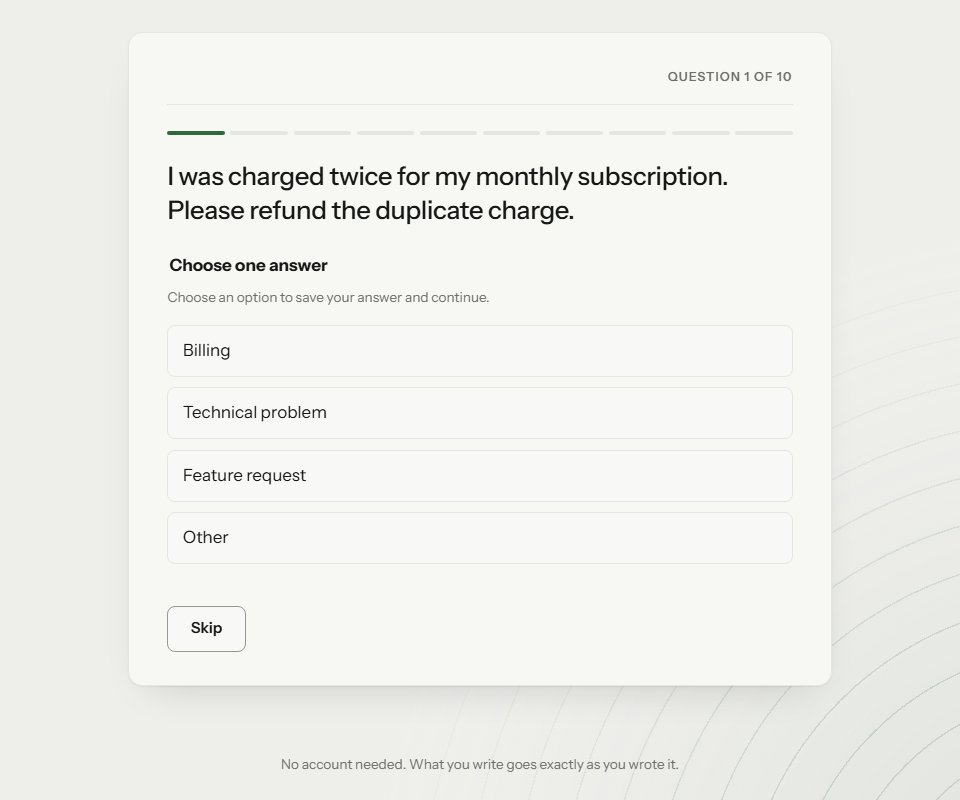
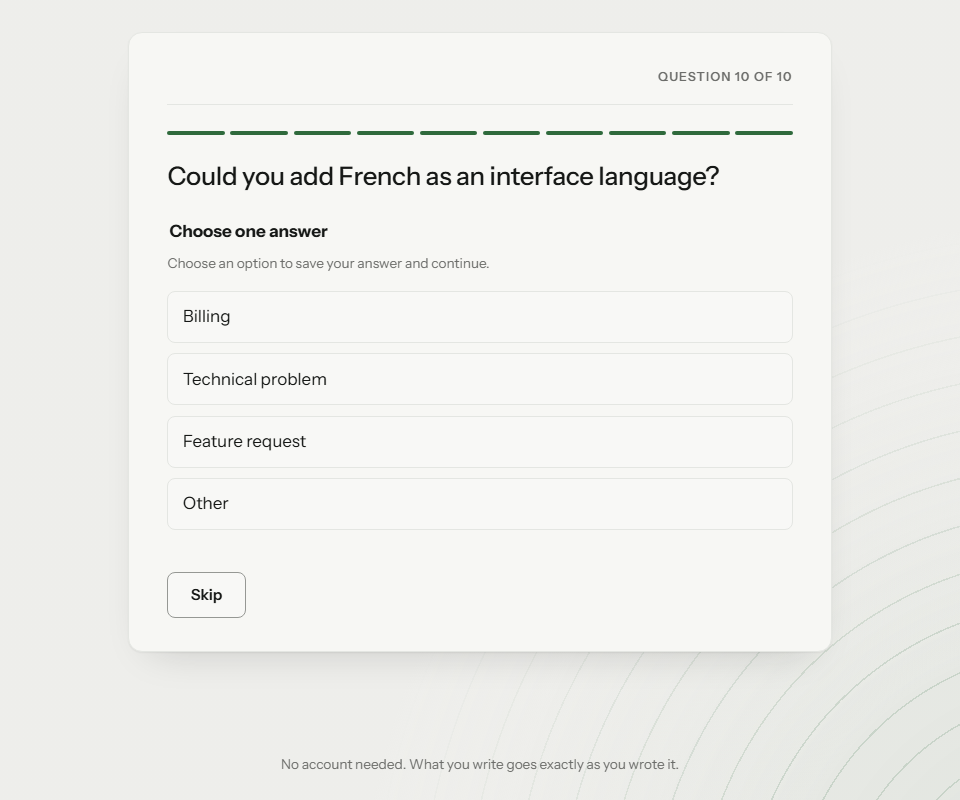
Inspect the preview, approve the exact version, then ask your agent to publish. Open the contributor link in a separate browser session. Each option button saves one answer and advances to the next item. Completion should appear after the tenth answer, not the first.
To replay this demonstration, use the scripted answers in the review plan. The runner declares full AI assistance on every submission. For a real project, invite the audience you have arranged and collect their own judgements instead of replaying a script.
3. Review answers and correct the wrong label
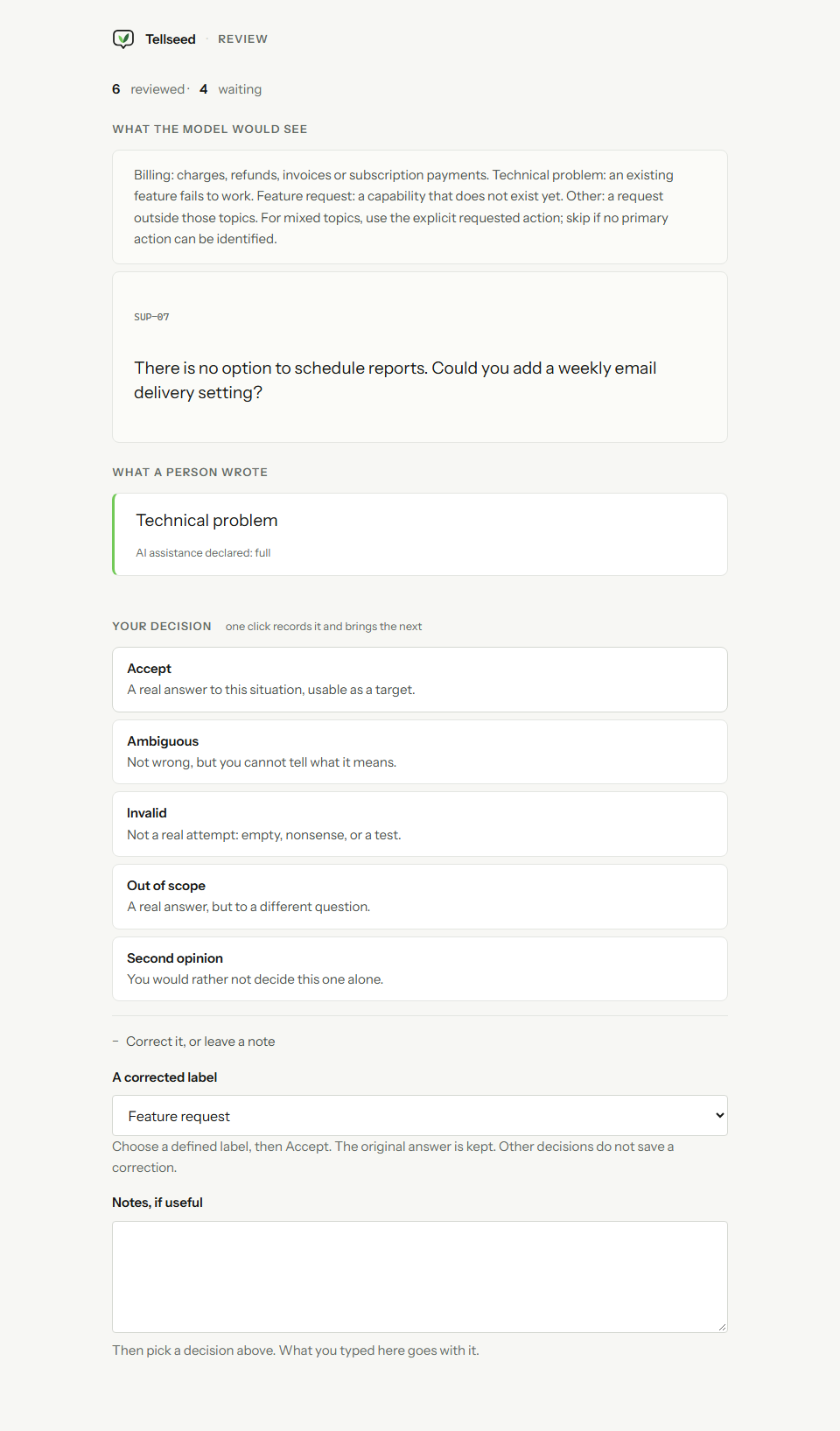
Open the private campaign management page and create a reviewer link for the person doing quality control. Keep that link private. Accept SUP-01 through SUP-06 as submitted. On SUP-07, the proposed label is Technical problem, but the message asks for a new scheduled-report feature.
Expand “Correct it, or leave a note”, choose Feature request under “A corrected label”, then Accept. The reviewed export uses the correction while the original Technical problem answer remains in the raw export. The selector offers the campaign’s predefined labels; it does not create new categories.
Mark SUP-08 Ambiguous, mark the deliberately wrong SUP-09 Invalid, and leave SUP-10 unreviewed. In a real project, settle uncertain examples with appropriate expertise rather than copying these decisions. One scripted reviewer is not evidence of independent agreement.
4. Export and inspect the evidence
Ask your connected agent to create an export with scenario grouping, seed support-triage-v1 and CSV enabled. It should return the snapshot, file links, counts and the empty-test-split warning. A private export still requires your workspace credentials; keep those credentials out of public URLs and automation logs.
The public files below are the unmodified output of the isolated synthetic run. raw.jsonl and raw.csv contain all ten submissions. reviewed.jsonl contains only the seven accepted targets, with their campaign version and review provenance. manifest.json describes file hashes, counts, policies and exclusions. The raw CSV is not a filtered training set.
A matching hash shows the bytes are intact. It does not prove the labels are correct or human-authored. The dataset card records the synthetic origin, and the run evidence separates automated execution time from human effort.
- Reviewed JSONL: seven accepted rows
- Raw JSONL: all ten answers
- Raw CSV: all ten answers
- Export manifest and hashes
Create a dataset export for this campaign using splitStrategy scenario, seed support-triage-v1 and csv true. Report raw and reviewed counts, every exclusion reason and any empty splits. Give me the manifest and file links. Do not call the raw CSV a reviewed training dataset.
5. Verify and convert the downloaded example
Download convert.mjs, then run the command below with Node 22.18 or newer. It needs no account, key, Tellseed source checkout or third-party package. It downloads only this public synthetic example and writes a new directory; it refuses to overwrite an existing directory.
The converter verifies the manifest and every listed file before selecting reviewed rows. It checks allowed labels, review provenance and scenario-group separation. It maps Billing to 0, Technical problem to 1, Feature request to 2 and Other to 3, retaining the original identifiers and a separate provenance file.
For your own export, replace --example with a local directory containing the manifest and every listed file. This small-export recipe supports schema 1, single-choice targets and the four labels above. Adapt and test the mapping for another task; do not silently drop unknown labels.
node convert.mjs --example converted-support-triage6. Load explicit splits into your dataset tools
The converted files contain five training rows and two validation rows. test.jsonl is empty. The converter preserves the scenario assignments and renames dev to validation; it does not move rows around to make a small dataset look complete. The manifest’s eight train and two dev counts describe all ten raw submissions, before review exclusions.
The optional Python loader uses Hugging Face Datasets to import the nonempty JSONL files with explicit split names and ClassLabel values. It checks the row counts, labels and group separation. The same example is now published on Hugging Face under the reviewed configuration, with source and verification tools in the public GitHub examples repository.
Install datasets==5.0.1 in a separate Python environment, download load_dataset.py and run it against the converter’s output. Use only text and label as model inputs. Identifiers, split names and provenance are audit metadata, not predictive features.
python -m pip install datasets==5.0.1
python load_dataset.py converted-support-triageTry the larger support-routing dataset
The companion support-routing-v2 dataset contains 160 fictional requests across Billing, Technical problem, Feature request and Other. Each class has 24 training rows, eight validation rows and eight test rows. Entire intent families stay in one split. Twelve additional cases illustrate when to ask for clarification instead of forcing a label.
The messages and labels were authored directly with AI assistance. They are separate from the seven reviewed rows in this walkthrough and were not collected from people or run through a live campaign. The card documents the rubric, split policy, duplicate checks, file hashes and limitations. Use it for a starter experiment, then collect and independently review representative data before making production decisions.
from datasets import load_dataset
ds = load_dataset("m-sanchez/tellseed-support-triage-demo", "support-routing-v2")Automate the reviewed export with n8n
Import the public workflow into your existing n8n workspace, select a Bearer credential for the two MCP nodes, and enter your campaign ID. A manual run reads the campaign, creates an export snapshot and returns file links, counts and warnings without a model call. It does not approve, publish or change campaign answers.
Use a restricted automation key with campaign read, results read and export creation permissions. Reuse a frozen snapshot for downstream retries; rerunning the export step creates a new snapshot. Separate templates cover draft creation, approved publication and signed webhook events.
Use the workflow with your own audience
Seven synthetic examples and an empty test set cannot establish model quality. Before collecting a real training dataset, choose authorised source items, explain the intended use to contributors, define coverage and review criteria, and design an independent evaluation set. Tellseed does not supply participants or train a model for you.
The original example data, converter and loader are available under CC0 as described in the dataset card. That does not grant rights to Tellseed branding, application code, screenshots or customer data. You can copy the fictional messages and adapt the workflow without publishing your private export.
The same collection pattern works for ordinary research and feedback: a clear task, a shareable contributor page, visible progress and an export you can inspect. Start with a small pilot, fix confusing instructions, then invite the people whose input you need.
Put the guide to work.
Try the website chat for a simple questionnaire, or start a free workspace and connect your agent for the full workflow. See plan limits and pricing or get help.
Keep going
- Create a classification campaign with answer buttons
- Collect human training data for AI
- Prepare a reviewed training-data export
Written and maintained by Tellseed. A plain-text edition of these public instructions is available for agents and readers who prefer it.